






- Home
- Solutions
- Occupancy and people counting
- Desk and room occupancy
Desk Occupancy Sensors in Qatar
Sensors under desks and in meeting rooms that show which seats are really used, hour by hour, so you can release no-show rooms and lease, cool and furnish only the space you need.
Last updated
What are desk occupancy sensors?
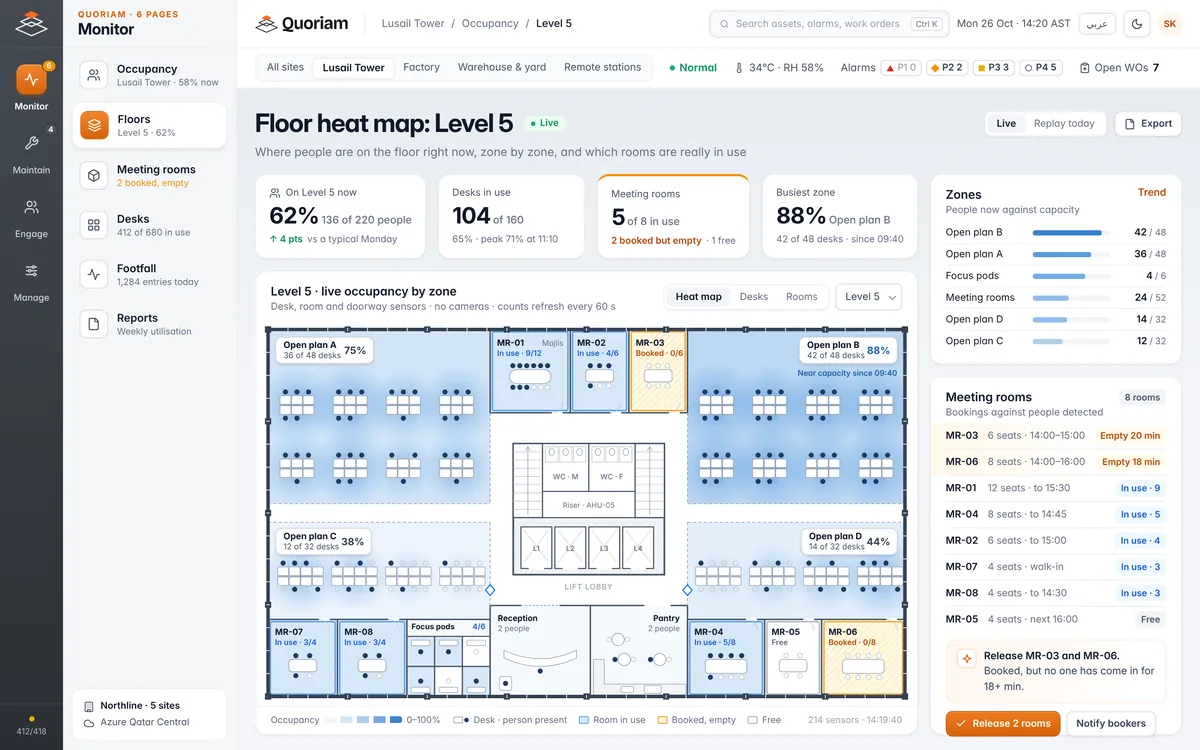
Desk occupancy sensors are small wireless sensors fixed under each desk and in each meeting room. They detect whether someone is there, without identifying them, and report every few minutes. The results show which desks and rooms are really used against what was booked, so empty rooms can be released and floors sized to demand.
Entrance counters tell you how many people came in. Desk and room sensors tell you where they sat, and for how long. That is the question behind every desk ratio, hot-desking policy and lease renewal, and the inside half of people counting.
The gap is usually large. Industry surveys put average desk use at around 45 to 50% and meeting rooms at about 40%, against the 60 to 80% most workplace teams aim for (Semtech and OpenSensors, 2019).
Walk-round surveys
Someone counts heads twice a day for two weeks. A snapshot of the days they walked.
Booking data
Shows who meant to use a desk or room. No-shows look exactly like meetings.
Desk and room sensors
Every desk and room, every working hour, used against booked.
What each sensor answers.
Different spaces ask different questions. These are the sensors we fit for each.
| Sensor | What it detects | What it changes |
|---|---|---|
| Under-desk sensor | Someone seated at that desk, from body heat and small movements | Desk ratios, neighbourhoods and how many desks to keep |
| Meeting room sensor | People in the room, against the booking | No-show rooms released; rooms resized to the meetings held in them |
| Focus pod sensor | Pod in use or free | More pods where they are always full |
| Zone sensor | People in each part of a floor | Quiet zones closed on quiet days, and cooled less |
The under-desk settings that matter.
Most under-desk sensors are passive infrared (PIR). Three settings decide whether the counts can be trusted.
| Setting | Typical value | Why it matters |
|---|---|---|
| Detection range | About 0.5 m | Narrow enough to see the person at the desk and ignore people walking past or at the next desk |
| Absence timeout | Set between 2 and 30 min | Too short marks a desk free during a phone call; too long hides a no-show |
| Repeat report | Every 10 to 300 min | A regular message even when nothing changes, so a silent sensor is noticed |
Typical values from the EnOcean Alliance Under-Desk PIR Sensor Gen2 datasheet and Pressac's desk occupancy sensor. Quoriam is hardware agnostic, so the sensor we fit is chosen for each floor during the survey.
How it works.
Survey
We walk each floor with your workplace team, mark every desk, room and pod on the plan, and agree the question: desk ratio, room sizes or which floors to consolidate.
Fit
Desk sensors fix under the desk with a screw or adhesive pad, out of sight. Room sensors go on the ceiling. They are wireless and battery powered, so no cabling is needed.
Release
When a booked room has had nobody in it for the grace period you set, such as 10 minutes, Quoriam flags it for release.
Plan
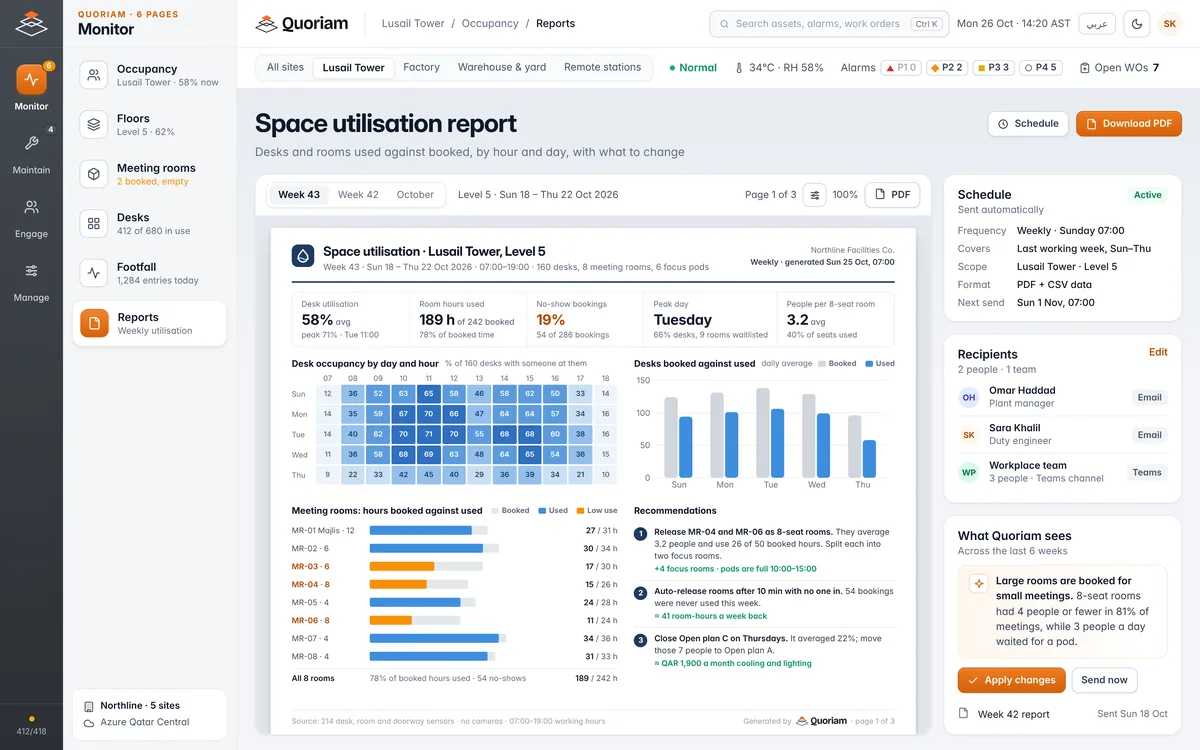
A weekly report shows desks and rooms used against booked, by hour and day, with recommendations.
System view
For IT, OT and security reviewers: where the data goes, and how.
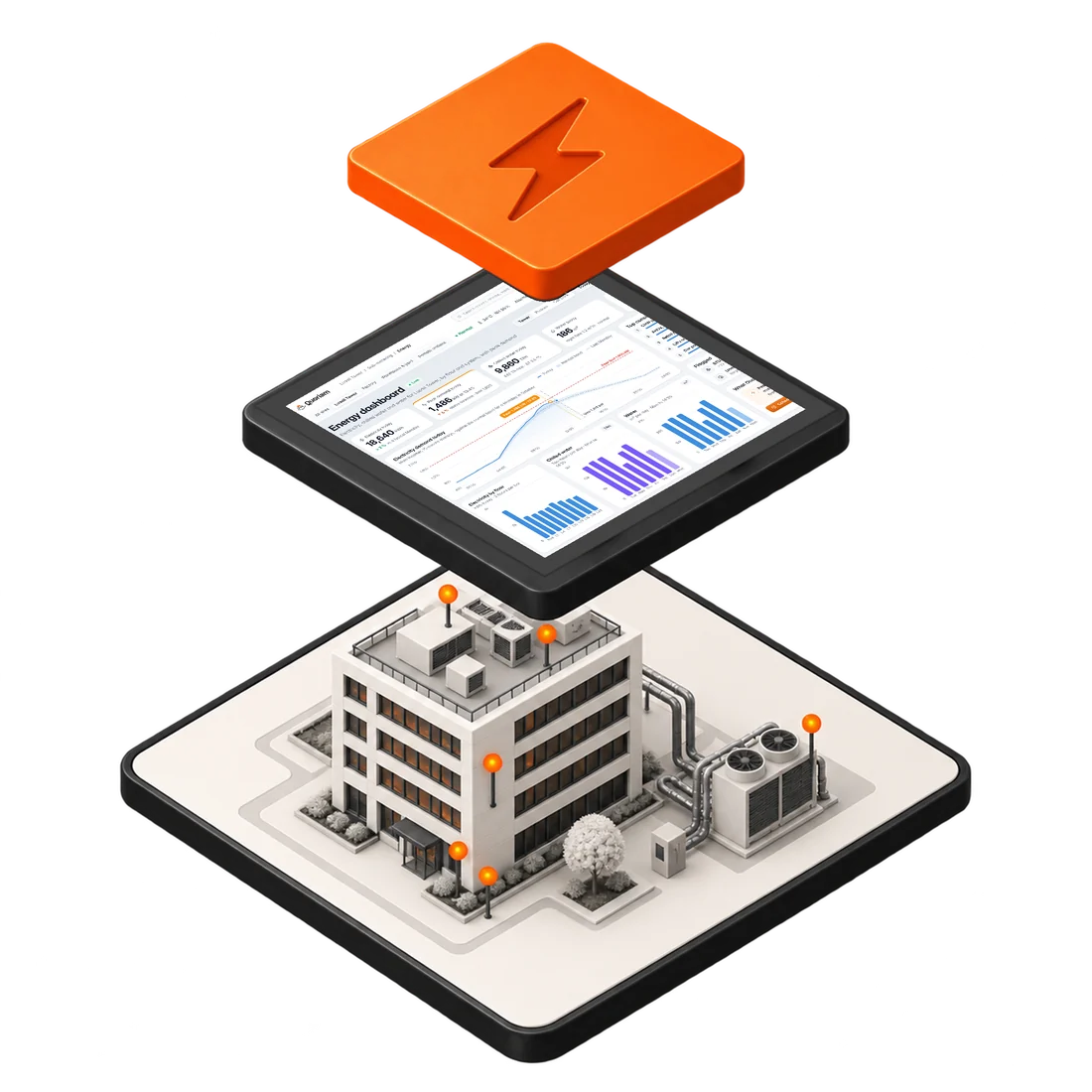
- On each desk and roomUnder-desk sensors, ceiling sensors in rooms, pods and zones
- On each floorWireless gateway
- NetworkSite LAN or cellular, encrypted and kept apart from the control network
- Quoriam platformOn your premises or cloud hosted in Qatar
- Your team and systemsLive floor views, lobby displays, weekly reports; booking systems
What your team sees.
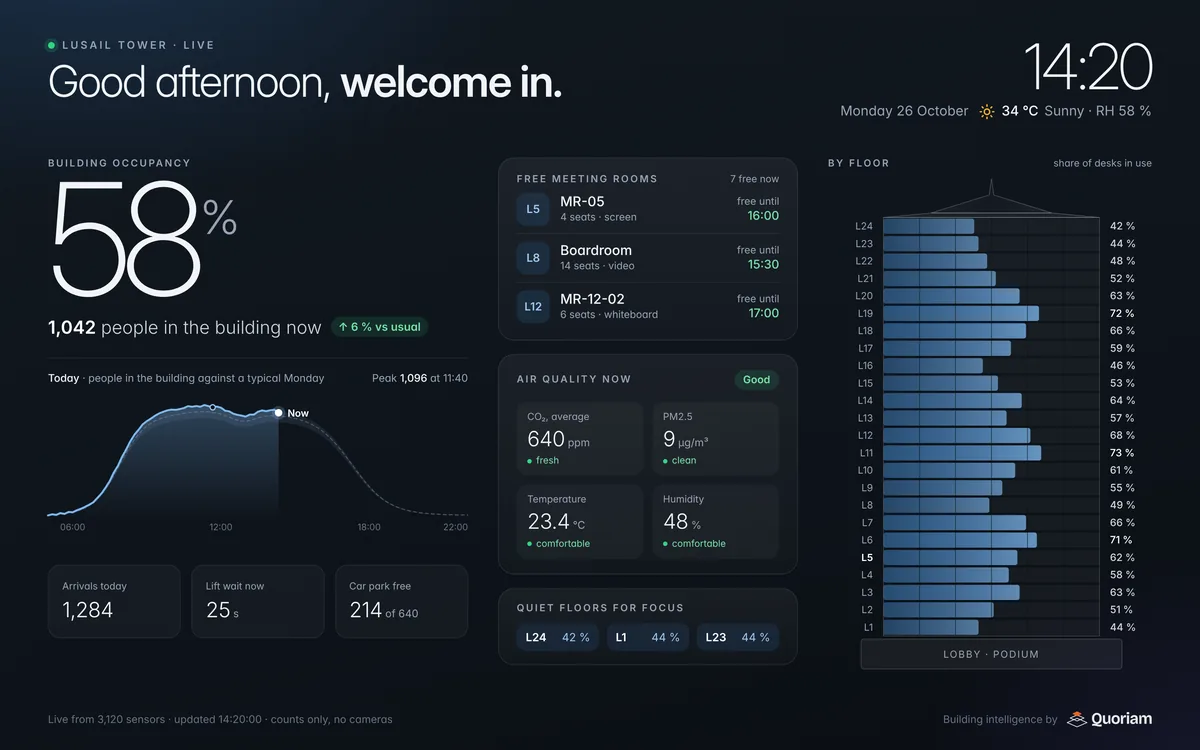
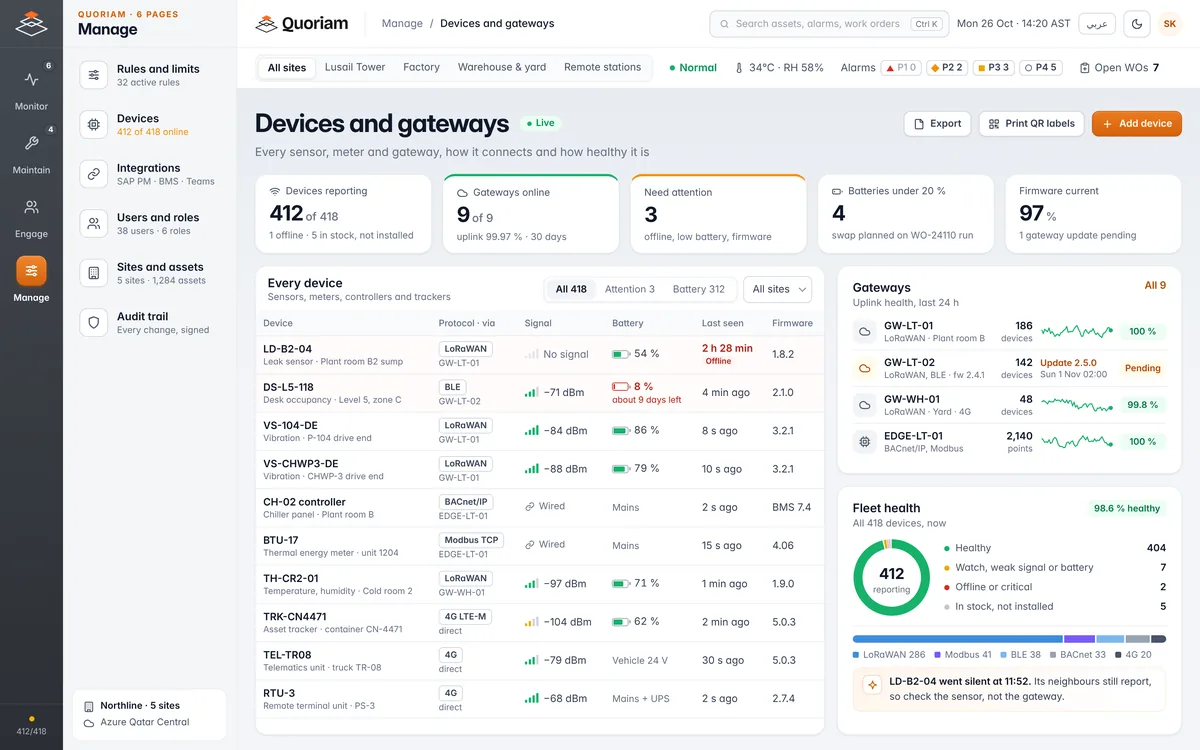
How the space was used, what is free now, and whether every sensor is still reporting.
Or just ask.
Quoriam AI answers in plain language and turns the answer into an action.
Where it's used in Qatar.
Anywhere a desk costs rent, fit-out and cooling whether anyone sits at it or not.
Office towers
Leased floors in Lusail and West Bay, where the next lease decides how many floors you keep.
Facilities and smart buildingsGovernment and corporate head offices
Large estates moving to shared desks, where the ratio needs evidence first.
Serviced offices and co-working
Rooms and pods sold by the hour, where no-shows are lost revenue.
Fit-out and moves
A month of counts before the design freezes, so the new floor fits how people work.
Questions buyers ask.
Something else? Ask us during the free assessment.
How do desk occupancy sensors work?
Most are passive infrared sensors fixed under the desk, aimed at the seat. They pick up body heat and small movements within about half a metre, so they see the person at that desk and ignore people walking past. After a set time with no movement, the desk is reported free.
Do desk sensors identify people?
No. A desk sensor only knows whether someone is sitting at that desk. It has no camera and cannot tell one person from another. Quoriam receives occupied or free for each desk and room, and builds counts by zone, floor and building from that.
How many sensors do we need?
One per desk you want to measure and one per meeting room or pod. You can start with one or two representative floors and decide from the results. Gateways depend on the sensor type and floor layout. The free assessment gives you the count and the price.
How long do the batteries last?
Typically three to five years for an under-desk PIR sensor, according to the EnOcean Alliance datasheet, depending on use. Quoriam tracks every battery and raises a low-battery alert, so replacements can be batched into one work order per floor.
Can it release rooms in our booking system?
Quoriam flags rooms that are booked but still empty after the grace period you set, such as 10 minutes, and shows them on the floor view and the lobby display for anyone to take. Releasing them automatically in your booking system depends on that system.
What utilisation should we aim for?
Workplace teams often aim for 60 to 80% desk and meeting room use, while surveys find typical offices nearer 45 to 50% for desks and 40% for rooms (Semtech and OpenSensors). Your own peak matters more than the average: plan for the busiest regular day.
What does it cost, and can we pilot one floor?
It depends on how many desks, rooms and floors you cover. A pilot usually covers one floor for long enough to see a full month of working patterns. The free three-week assessment ends with a sensor plan and a fixed price.
Related.
Desk and room occupancy is part of occupancy and people counting on the Quoriam platform.
- Occupancy and people counting
See how floors, rooms and desks are really used, then cool and clean to match.
- Smart restroom
Usage counts and odour sensors that send cleaners when they're needed.
- HVAC and energy optimisation
Cooling matched to occupancy and weather, measured against the meter.
- Indoor air quality
CO2, particles and VOCs by floor and room, against the limits your building targets.
Find out which desks you really need.
A free three-week assessment. We walk your floors, review your booking data and any counts you already have, and deliver a sensor plan for the decision you need to make.
We take on two assessments a month.Quoriam is designed to pay back within six months. How we calculate payback