




People Counting in Qatar
Occupancy sensors and footfall counters for offices, malls, airports, hospitals and government buildings: see how each entrance, floor, room and desk is really used, then cool and clean to match.
Last updated
What is people counting?
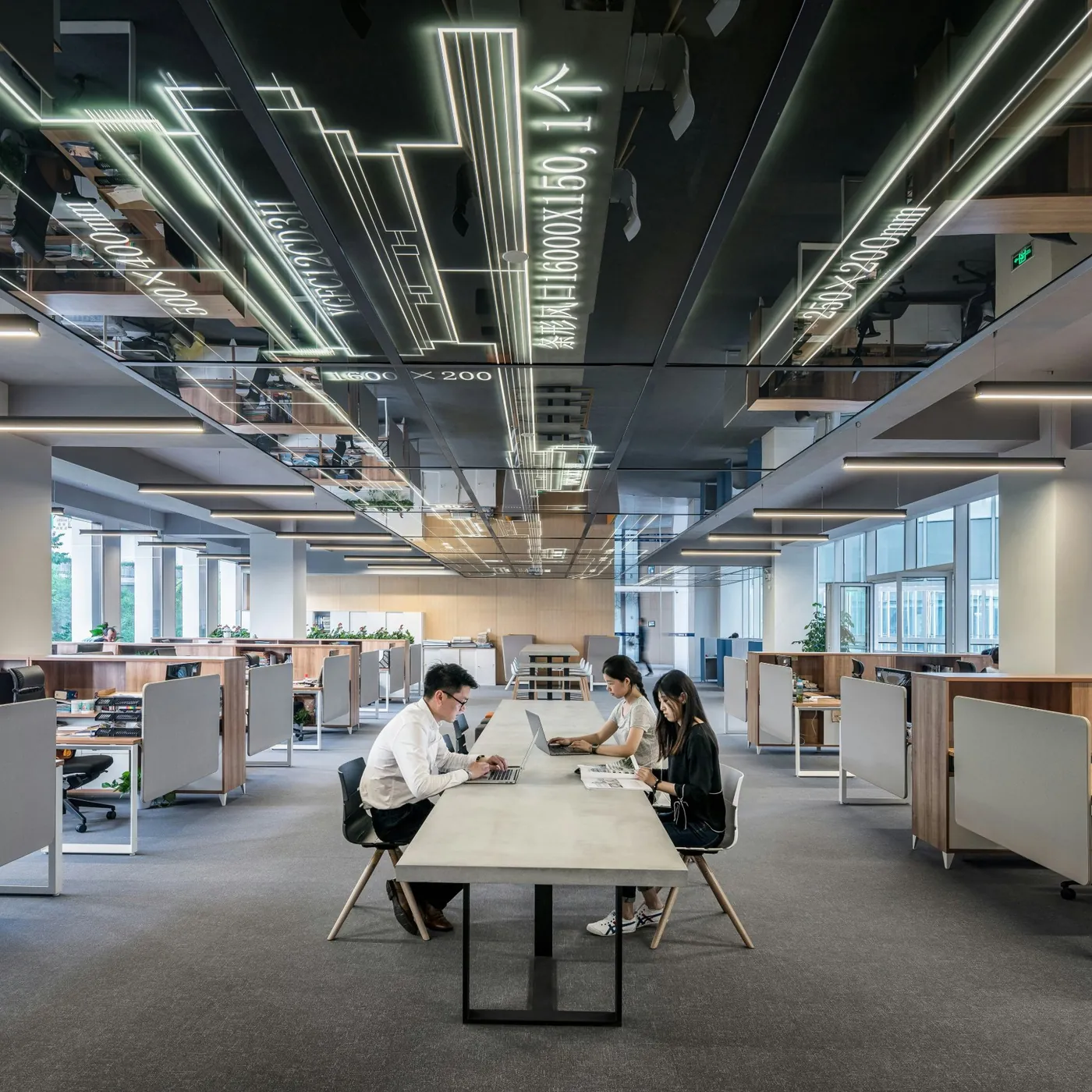
People counting measures how many people enter, leave and occupy a space, using sensors at doors and over floors, rooms and desks. The counts show how a building is really used, so cooling, cleaning and space plans follow actual demand instead of timetables, bookings or guesswork.
Footfall counting covers the entrances: how many people came in, through which door and when. Occupancy monitoring covers the inside: how many people are on each floor, in each zone, room or desk right now. Quoriam runs both on one platform, next to your energy and maintenance data.
Counts are anonymous. Thermal and radar sensors see heat or movement and cannot identify anyone. Camera-based counters work out the count on the device; what, if anything, they store depends on the model and its settings, which we agree with you before install.
Access badges
Show who came through the gate. Not where they went, or when they left.
Room bookings
Show who meant to use a room. Not whether anyone turned up.
Sensor counts
Show how many people are in each space, minute by minute, without identifying anyone.
Sound familiar?
What facility, property and workplace teams in Qatar tell us before we start.
"We cool every floor the same, full or empty."
In a Doha summer the chillers work hardest in the afternoon, whether a floor holds two hundred people or twenty. Without counts, the BMS runs to a timetable.
"Meeting rooms are always booked and always empty."
The booking system says every room is taken. Walk the floor and half of them are empty, held by meetings that moved or never started.
"Cleaners follow the rota, and the busy washrooms still run out."
In malls, airports and hospitals the crowds move through the day. A fixed rota cleans the quiet washrooms and misses the busy ones.
What each sensor counts, and what it changes.
Different spaces need different sensors. These are the ones we fit most.
| Sensor | What it counts | What it changes |
|---|---|---|
| Entrance counters | People in and out, by door and hour | Staffing, security and opening hours matched to real footfall |
| Zone occupancy sensors | People in each part of a floor | Cooling and lighting by zone; quiet zones closed off |
| Desk sensors | Each desk occupied or free | Desk ratios and how much floor space you lease |
| Meeting room sensors | People in the room against the booking | No-show rooms released; rooms right-sized |
| Washroom counters | Visits since the last clean | Cleaning on use, consumables refilled before they run out |
| Lobby and queue counts | People waiting at lifts or counters | Lift modes and counter staff set for the peak |
How it works on Quoriam.
From the sensor in the ceiling to the change on the floor, on one platform.
Place
Survey each space and choose the sensor for it: counters over entrances, ceiling sensors for zones, desk and room sensors where the question is utilisation.
Connect
Sensors report through a gateway on the floor or the site network, and existing counters and the BMS are read alongside.
Act
Rooms booked but empty are released, washrooms past their visit limit raise a cleaning request, and quiet zones can run warmer.
Report
A weekly utilisation report shows desks and rooms used against booked, with what to change.
System view
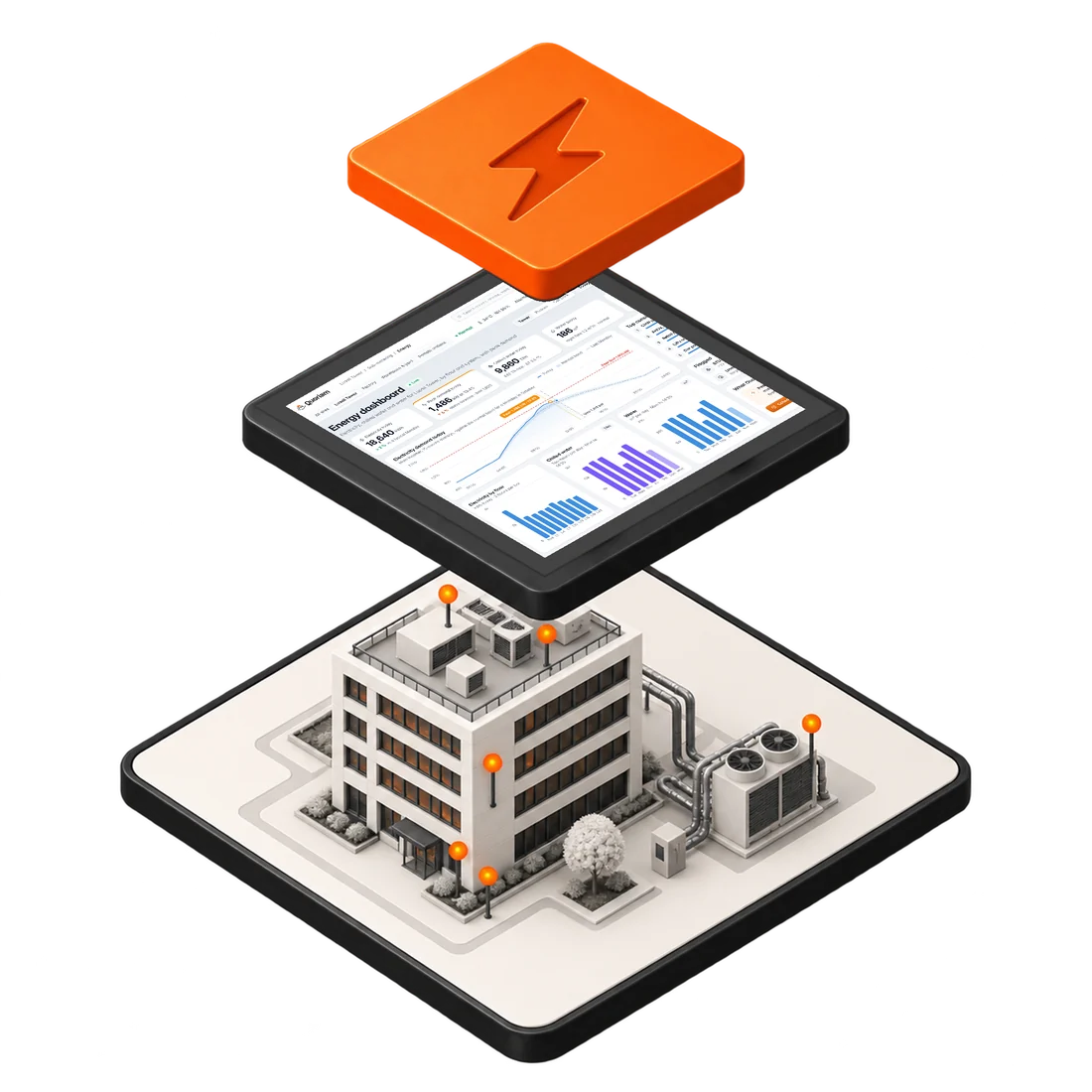
For IT, OT and security reviewers: where the data goes, and how.
- In the spaceEntrance counters, ceiling occupancy sensors, desk, room and washroom sensors
- On each floorLoRaWAN gateway for wireless sensors; site network for wired counters
- NetworkSite LAN or cellular, encrypted and kept apart from the control network
- Quoriam platformOn your premises or cloud hosted in Qatar
- Your team and systemsLive displays, alerts and weekly reports; counts to the BMS
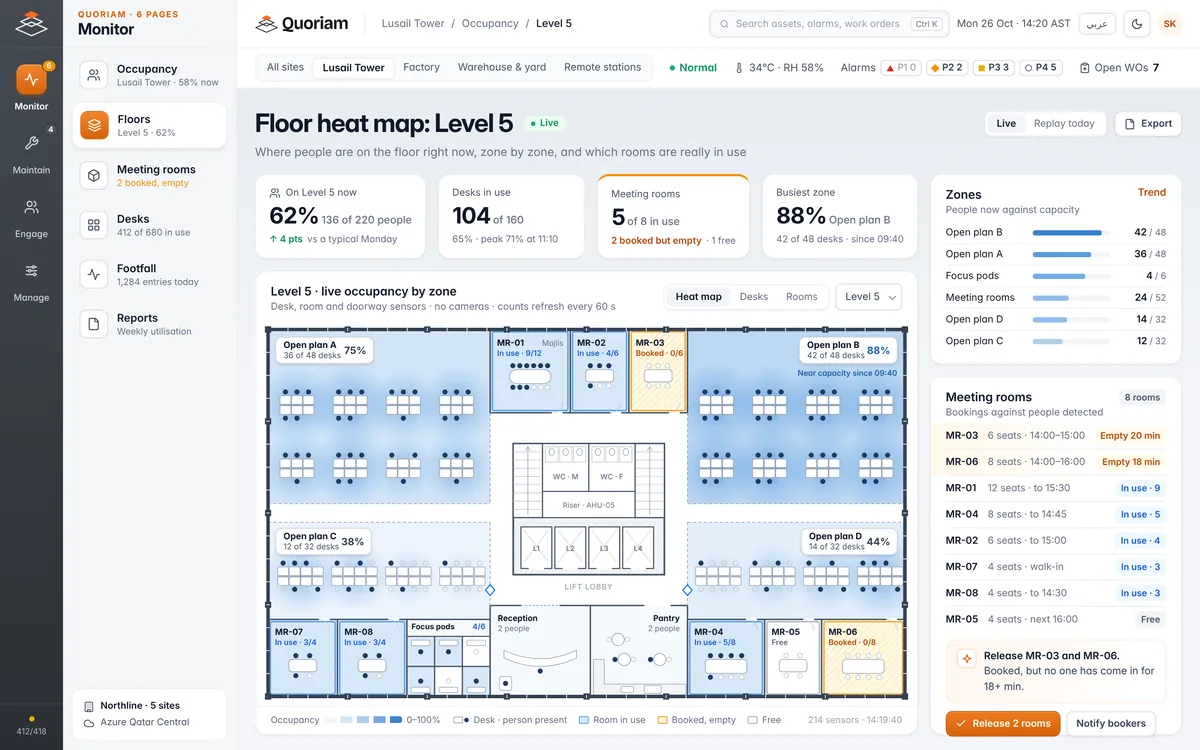
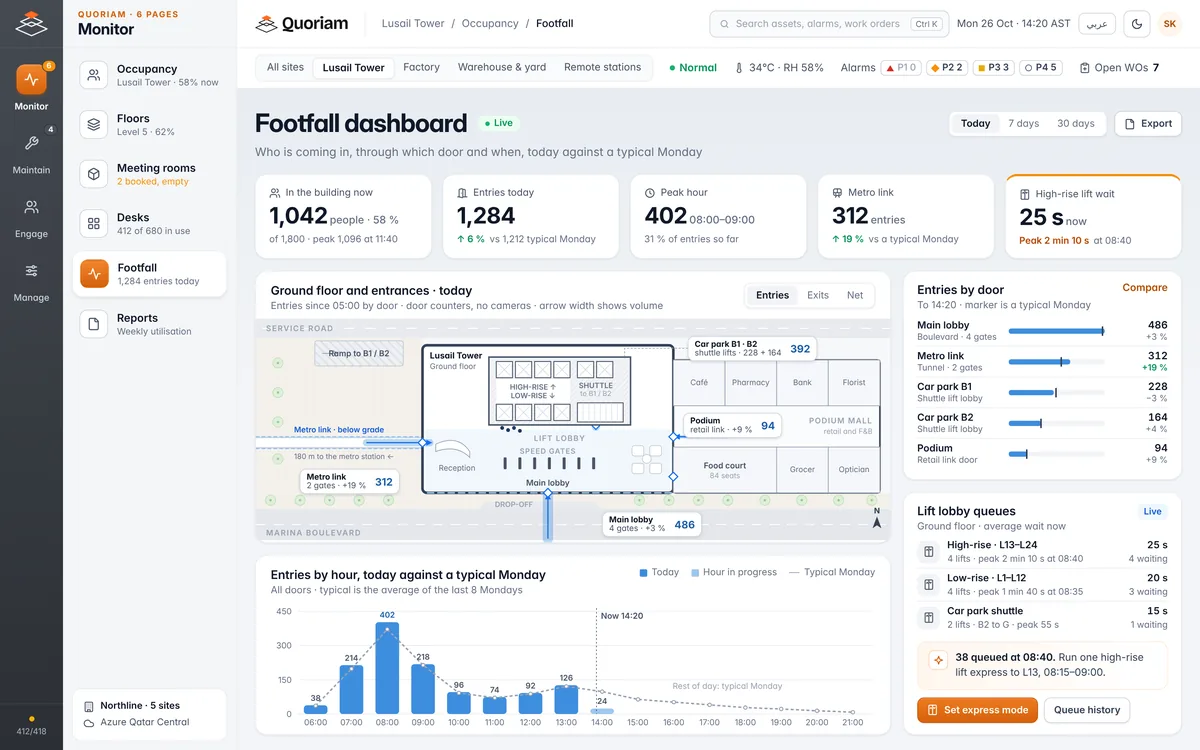
What your team sees.
Where people are now, who is coming in, and how the space was used last week.
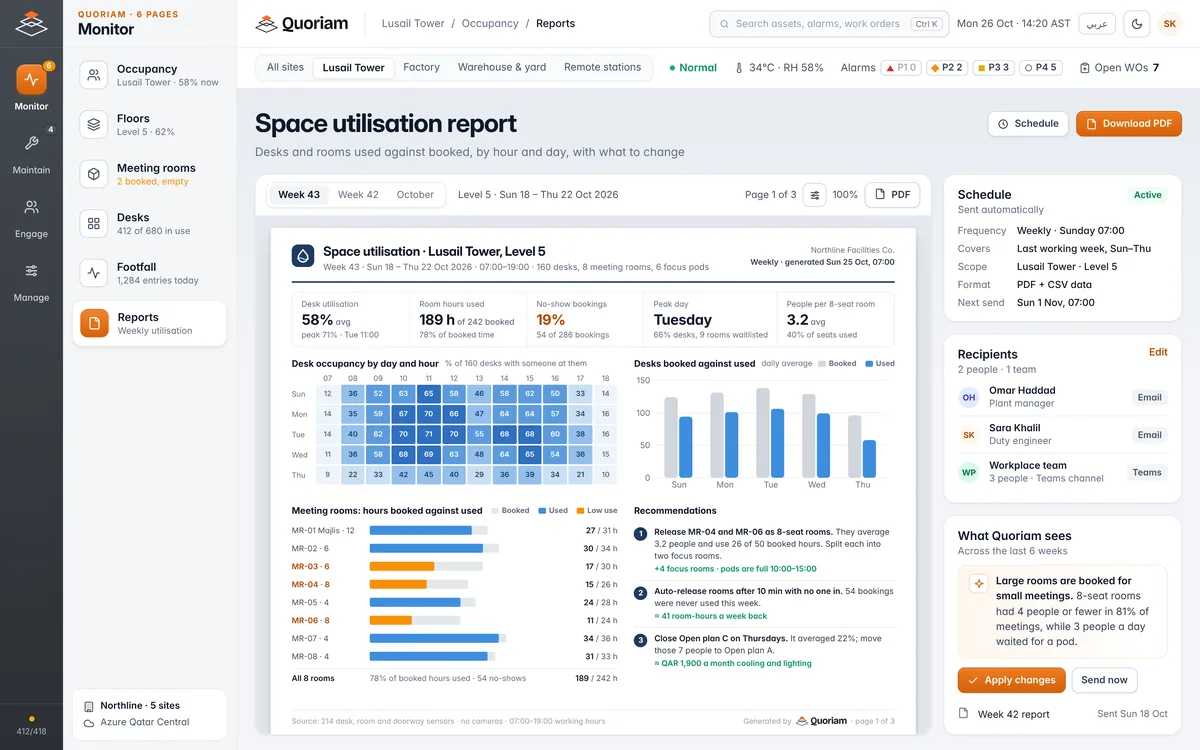
Or just ask.
Quoriam AI answers questions about your spaces in plain language and turns the answer into an action.
People counting use cases.
Start with the space people complain about most.
Hardware and integrations.
We choose the sensor for each space, fit it and commission it. ITSQ is FootfallCam's authorised reseller in Qatar.
- Entrance countersFootfallCam over doors and gates. Shown: 3D Pro2
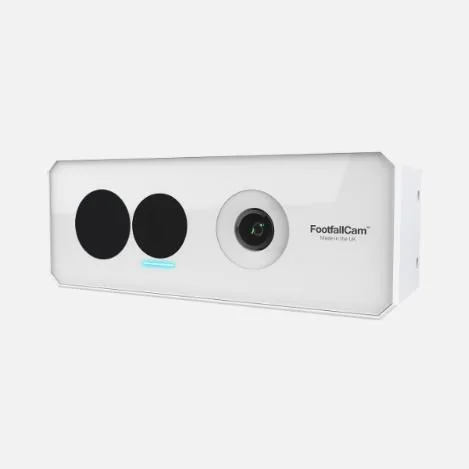
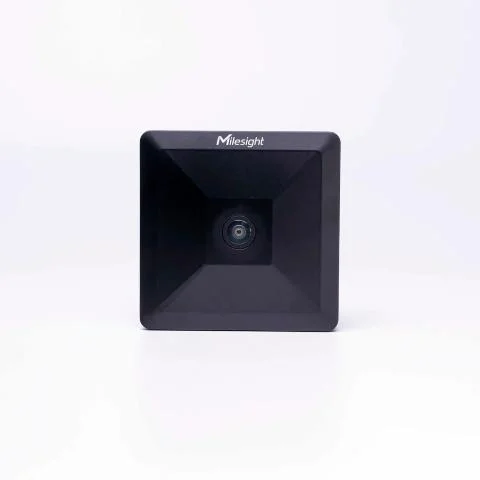
- Occupancy sensorsCeiling-mounted, thermal or radar, by zone or room
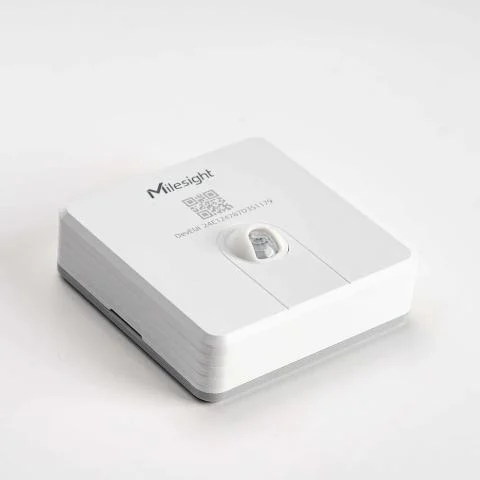
- Desk sensorsUnder the desk, occupied or free
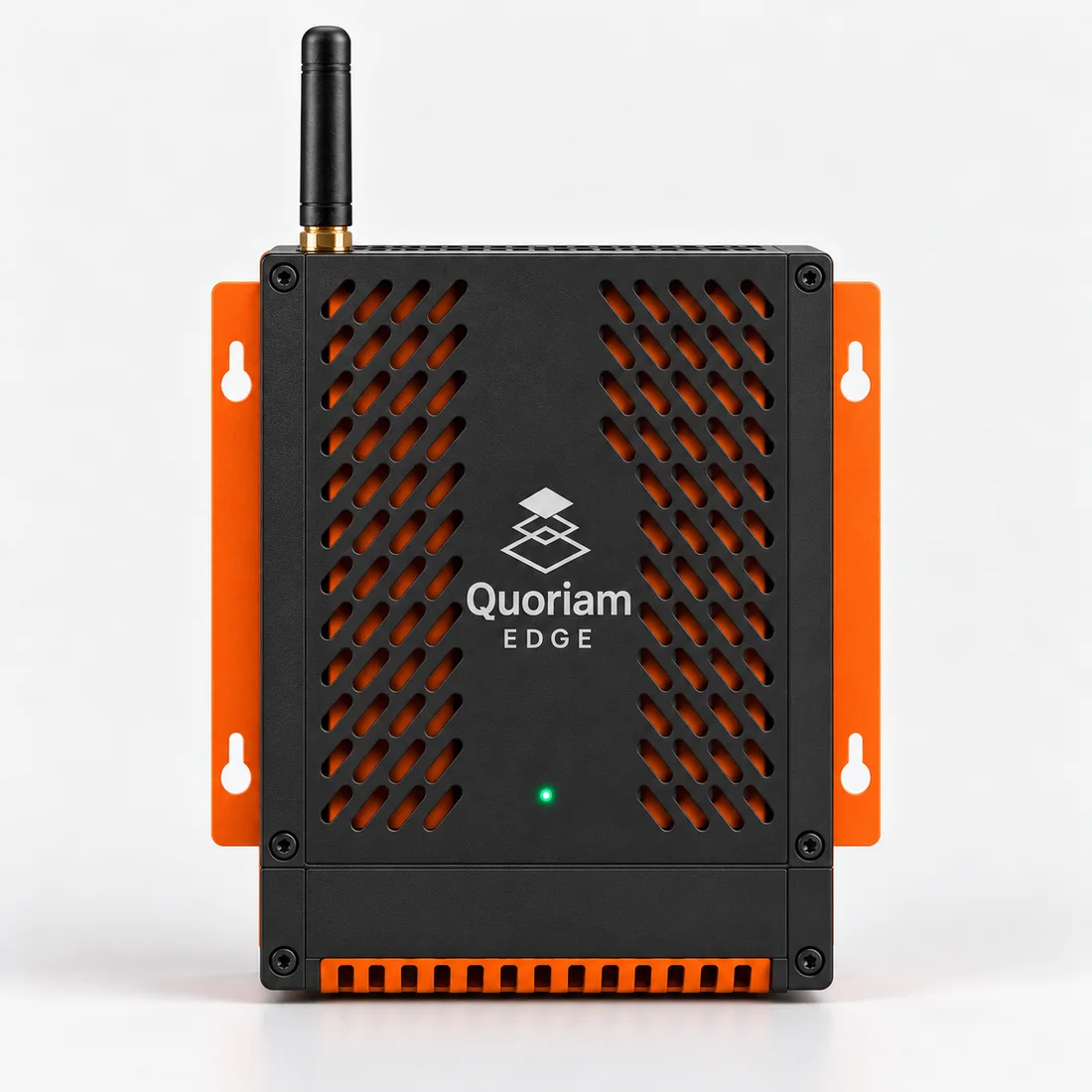
- GatewaysQuoriam Edge QE35, LoRaWAN or cellular
- Reads from
- FootfallCam's analytics platform; wireless sensors over LoRaWAN; the BMS over BACnet or Modbus
- Sends to
- BMS set points by zone; room booking systems
- Alerts and reports
- Quoriam app, SMS and email; weekly reports as PDF and CSV
Hardware agnostic. Makes we fit includeMilesightFootfallCamTeltonikaAdvantechWe can work with any maker and choose the device for each site. The platform reads them all.
What a first deployment covers.
Most buildings start with the entrances and one or two floors, then roll out once the counts are trusted.
Example scope: a 24-storey office tower
What a first deployment typically measures. An example, not a project result.
- Entrances: counters on the main lobby, the car park lift lobbies and any metro or podium link
- Two office floors: ceiling sensors by zone and a sensor in every meeting room
- Desks: sensors on one floor where the desk ratio is in question
- Washrooms: visit counters on the core washrooms, with a cleaning request at a set number of visits
- Gateways to cover the fitted floors
- A weekly report to facilities and workplace teams, and a live display in the lobby
Where it's used.
The same platform, set up in each industry's terms.
Questions buyers ask.
Something else? Ask us during the free assessment.
How does people counting work?
Sensors over each entrance count people crossing a line in each direction. Inside, ceiling sensors count people in a zone or room, and desk sensors detect whether someone is sitting there. Quoriam adds them up by floor, building and site.
Do the sensors identify people?
Quoriam receives counts only. Thermal and radar sensors see heat or movement, never a face. Camera-based counters work out the count on the device; what the device itself stores depends on its model and settings.
How many sensors do we need?
One counter per entrance, one sensor per meeting room, and enough ceiling sensors to cover each open-plan zone. Desk sensors go only where the desk ratio is in question. The free assessment counts it for your building.
How accurate are the counts?
It depends on the sensor, the mounting height and how busy the door is. We check each counter against a manual count during commissioning and adjust it before the counts are used.
Can occupancy control the cooling?
Quoriam can send occupancy to the BMS, so empty zones run warmer and full ones are cooled first. It also shows the energy effect against the meters, with sub-metering.
Do you supply FootfallCam counters?
Yes. Our parent company ITSQ is FootfallCam's authorised reseller in Qatar, so we supply, install and support the counters and bring their data into Quoriam.
What does it cost?
It depends on how many entrances, floors, rooms and desks you count. The free three-week assessment ends with a sensor plan, a scope and a fixed price for your building.
Add next on the same platform.
Every solution plugs into the one you start with. One login, one set of alarms.
 BTU-17 +22% on last month
Smart metering and sub-metering
Meter electricity, water and chilled water by tenant or line, and settle every bill on evidence.
 Station 2 44 °C, RH 18%
Environmental monitoring
Log temperature, humidity and air quality in cold rooms, warehouses and offices, ready for audit.
 CN-4471 Left zone B at 14:02
Asset tracking and geofencing
Know where equipment, tools and containers are, and get an alert the moment one leaves its zone.
Start with a pilot.
Prove it on one floor and its entrances before the whole building.
- Sensors on the entrances and floors chosen with your team
- Sensors and a gateway supplied, fitted and commissioned by our engineers
- How long it runs is agreed with you, typically around eight weeks
- The results to look for are agreed at the start and reviewed with you at the end
See how your building is really used.
A free three-week assessment. We walk your entrances and floors, review any counts you already have, and deliver a sensor plan with the decisions it will support.
We take on two assessments a month.Quoriam is designed to pay back within six months. How we calculate payback